
SciNote – Electronic Laboratory Notebook (ELN)
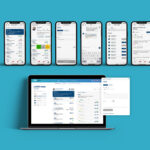
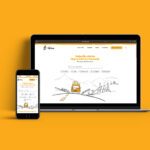
The SciNote is a platform designed for researchers in academic and government laboratories. At the beginning of 2023, the entire platform underwent a visual redesign to remain competitive. In addition to visual changes, new functionalities are added monthly based on user feedback and needs and according to the platform’s development roadmap.
Type
Web appMy role
UX Research • UI Design • Design system • Product Design • Usability Testing • Prototyping • User FlowsTeam
During the work process, I collaborated with the project Manager, VP, developer, Quality Assurance, and Customer Success.Type of collaboration
Full-time employment, onsite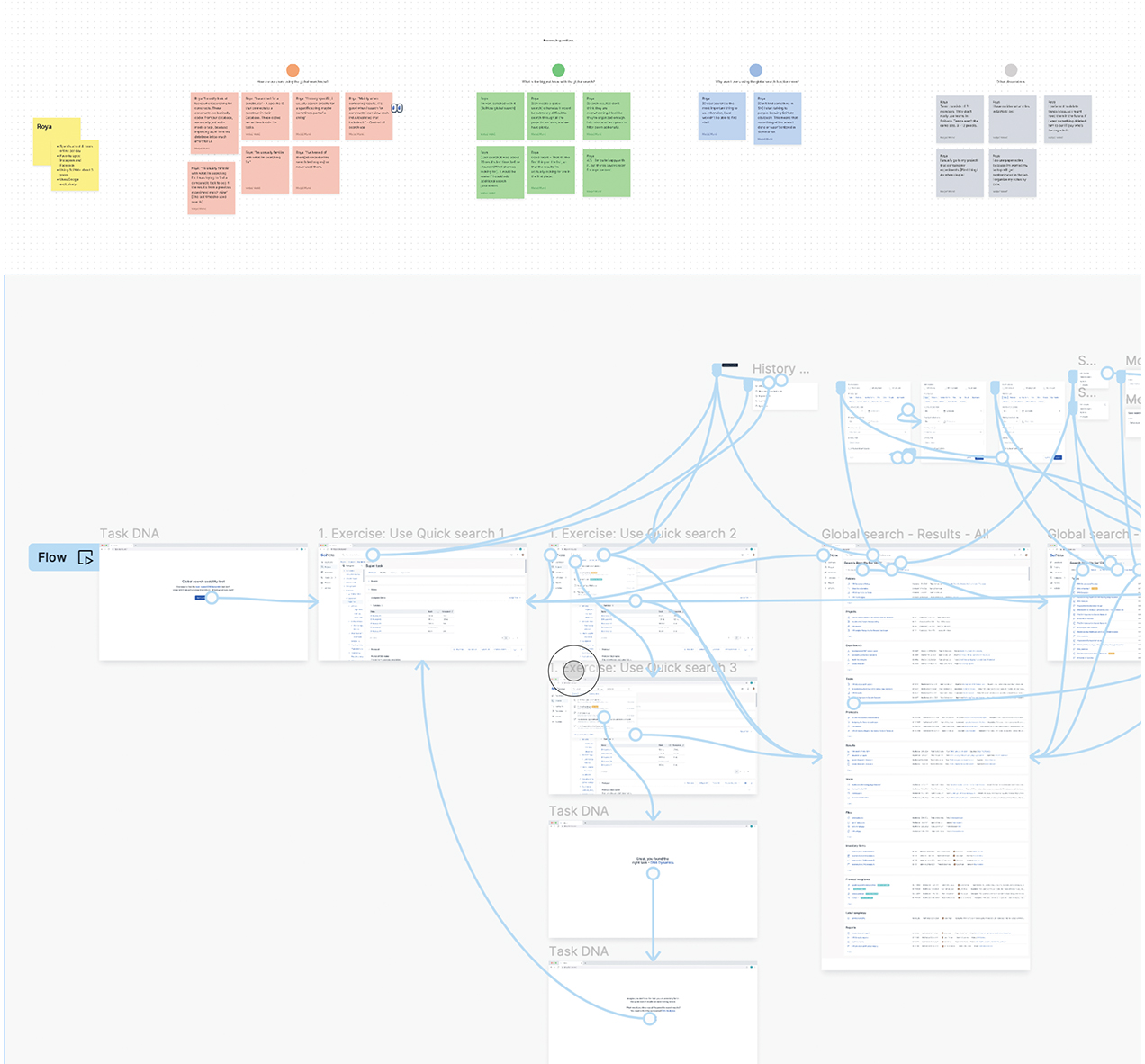
Work process
At SciNote, I was entrusted with the crucial task of overseeing the platform’s visual redesign. I also played a key role in planning and designing new functionalities, demonstrating my strategic thinking and design skills.
For new functionalities, I also prepared prototypes for interviews with existing users. This allowed us to gather valuable feedback that helped improve the user experience and appearance of the platform.
Due to the platform’s redesign, my task was to prepare a design system and instructions /guidelines for future use.
User interface – Global search
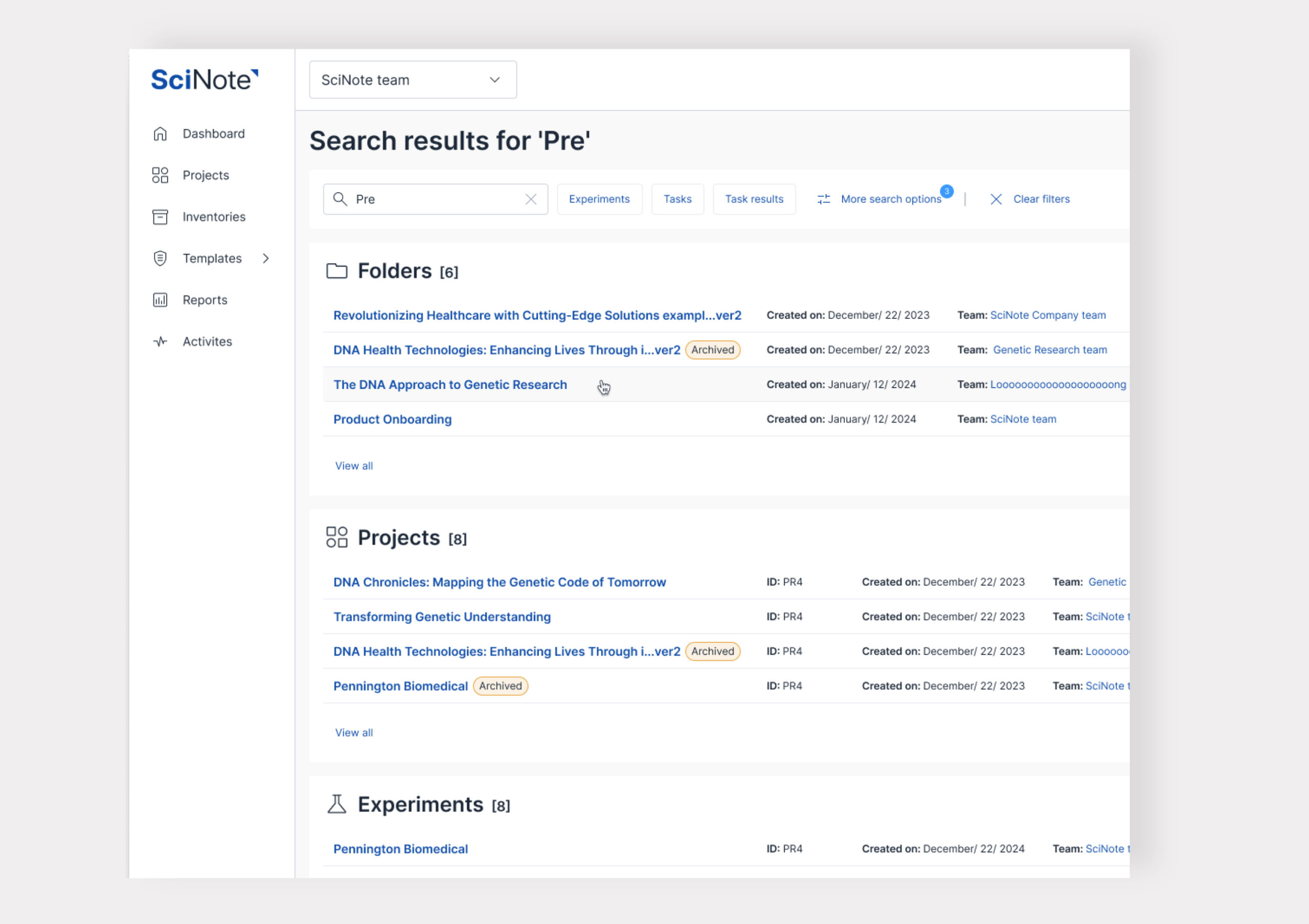
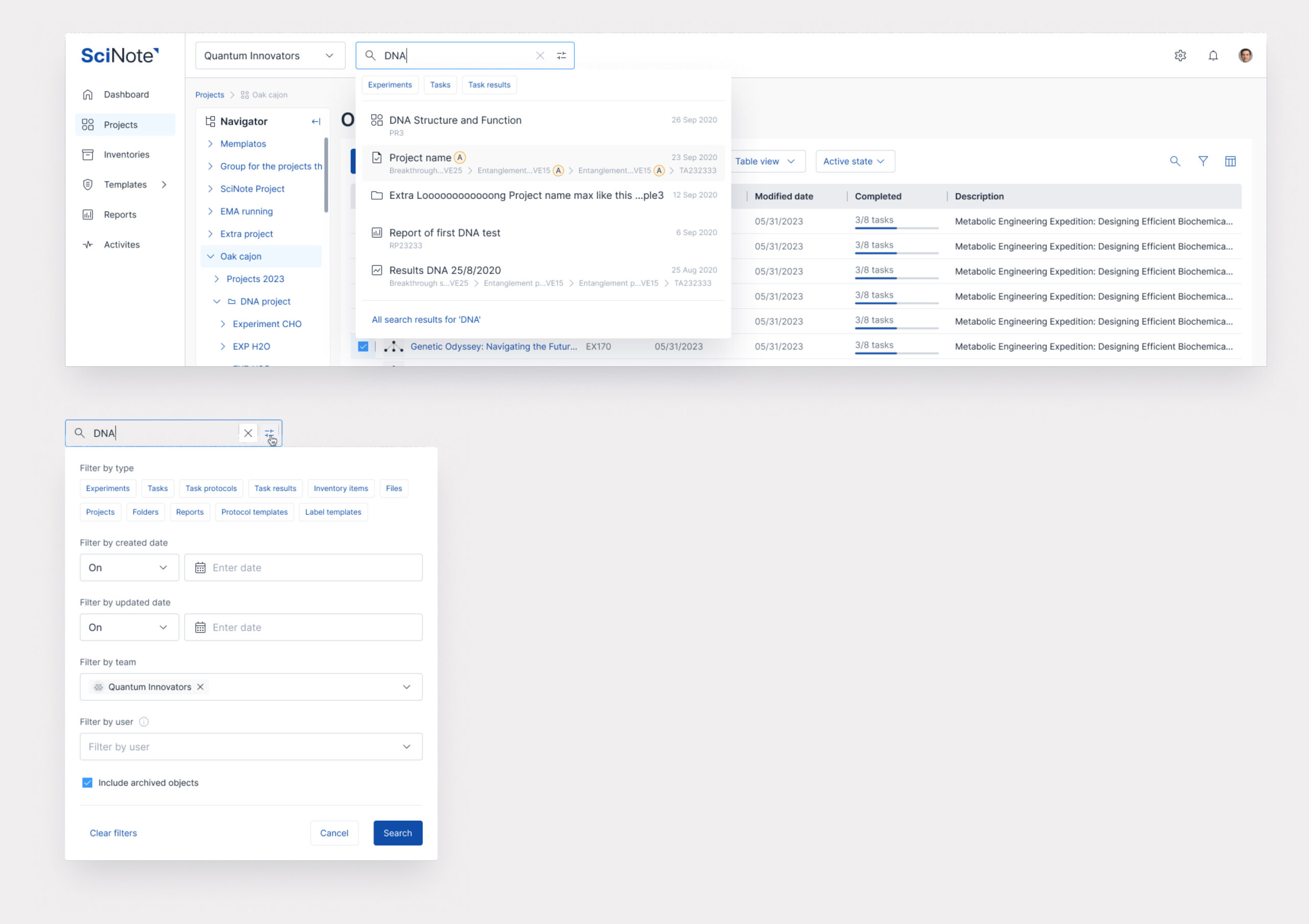
It was necessary to redesign and add new functionalities to the global search.
Based on user requirements and findings on how to improve the user experience of the global search, we added new functionalities, such as:
– Quick Search: This allows faster searching by suggesting five relevant results as you type.
– More Search Options: where users can specify and filter by specific criteria, such as filter by type, by date, by user, by team, and whether it’s archived. This enables users to reduce the number of results and find what they are looking for more quickly.
In addition to these two functionalities, my task was to streamline the results and display them more condensed to show more results on the screen.
User interface – Add on page
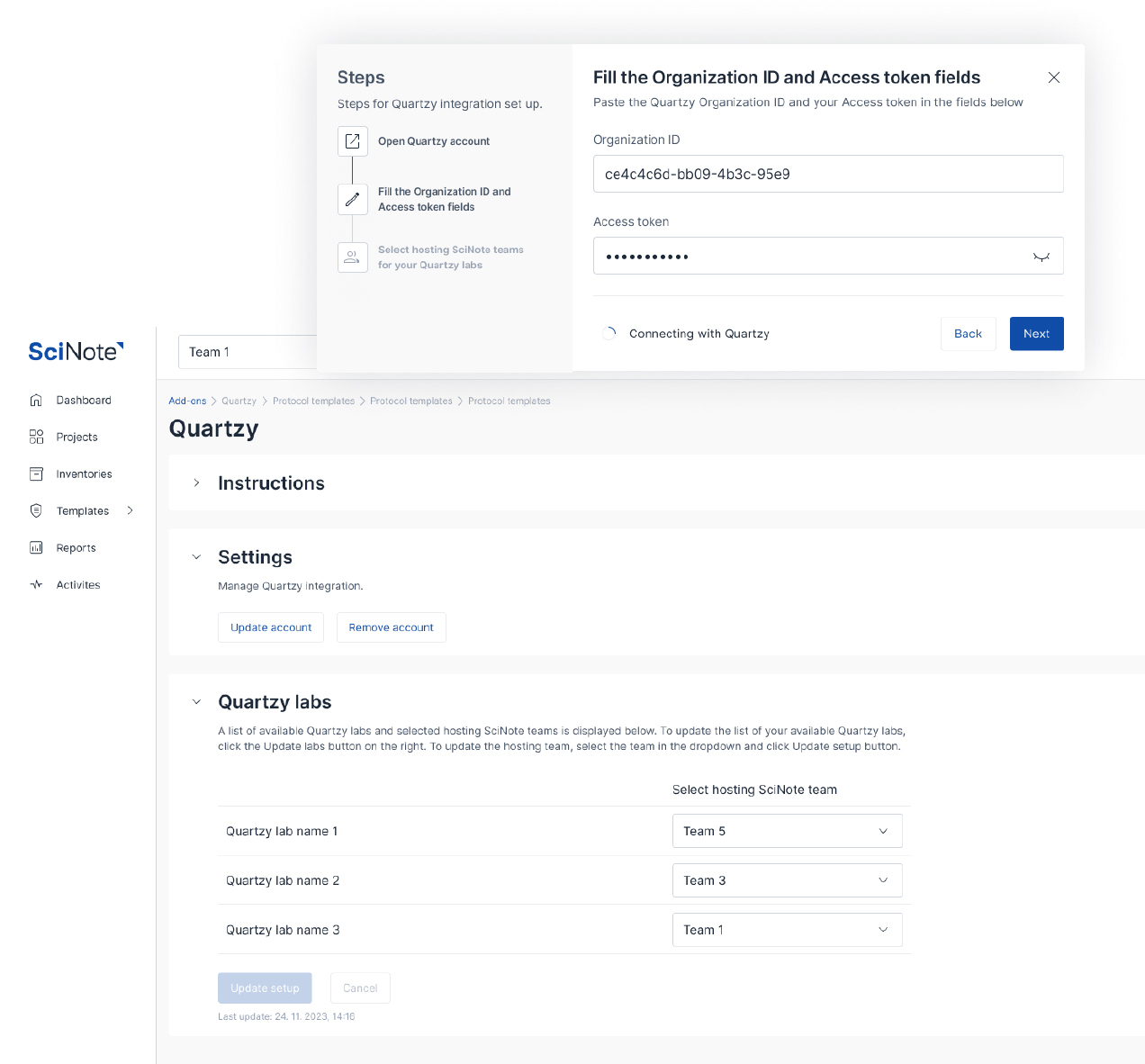
A new page was needed for a new add-on. In addition to this page, instructions for the installation process must be prepared.
Based on this, I created a wizard that guides you through the installation process, as the functionality is connected to an external platform.
User interface – Card view
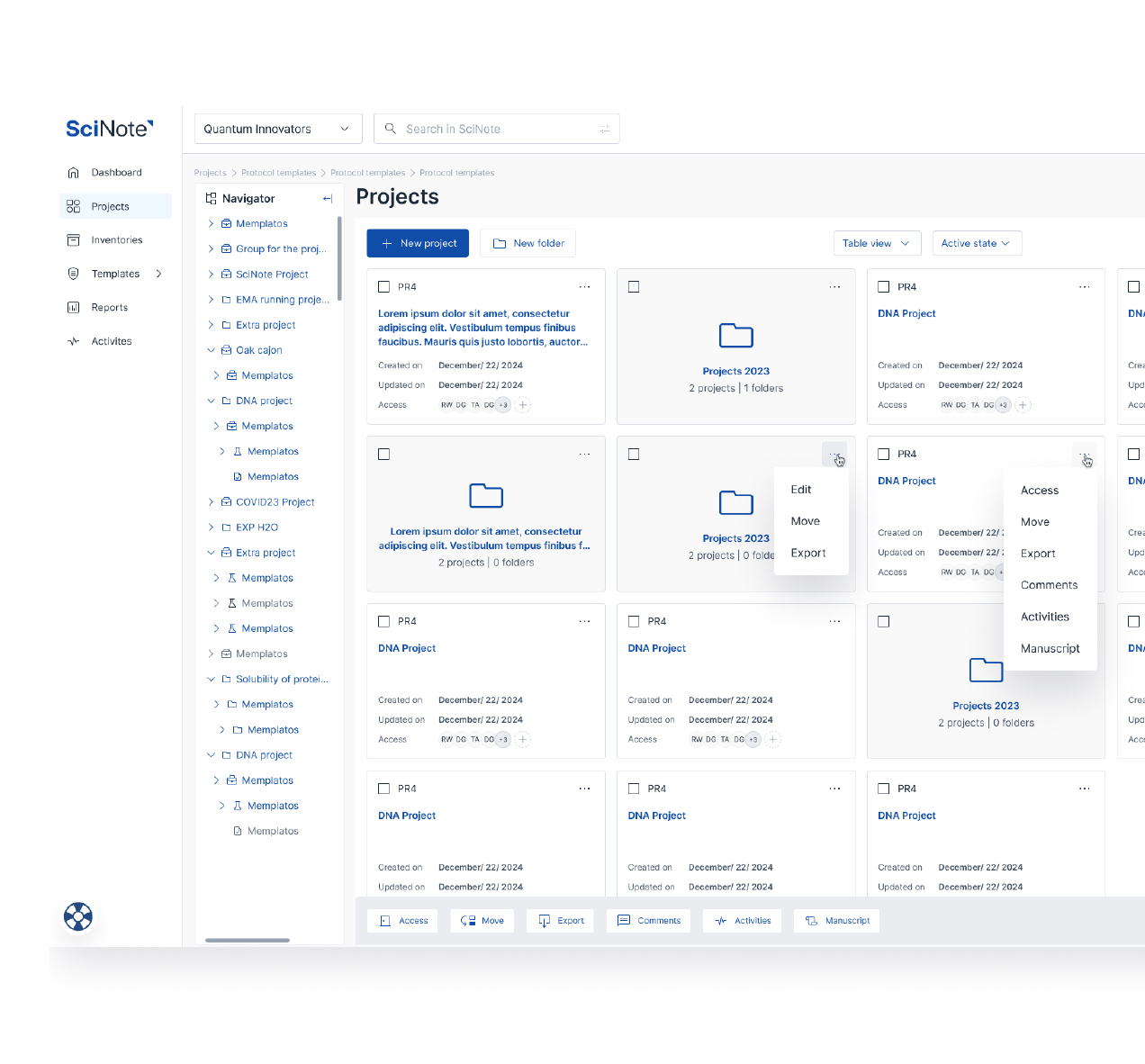
As part of the table redesign, it was also necessary to update the card view.
We needed to define the sizes and behavior of the cards based on screen size and ensure responsiveness as the screen size changed.
Additionally, we aimed to standardize elements, sizes, spacing, and alignment visually.
User interface – Archived state
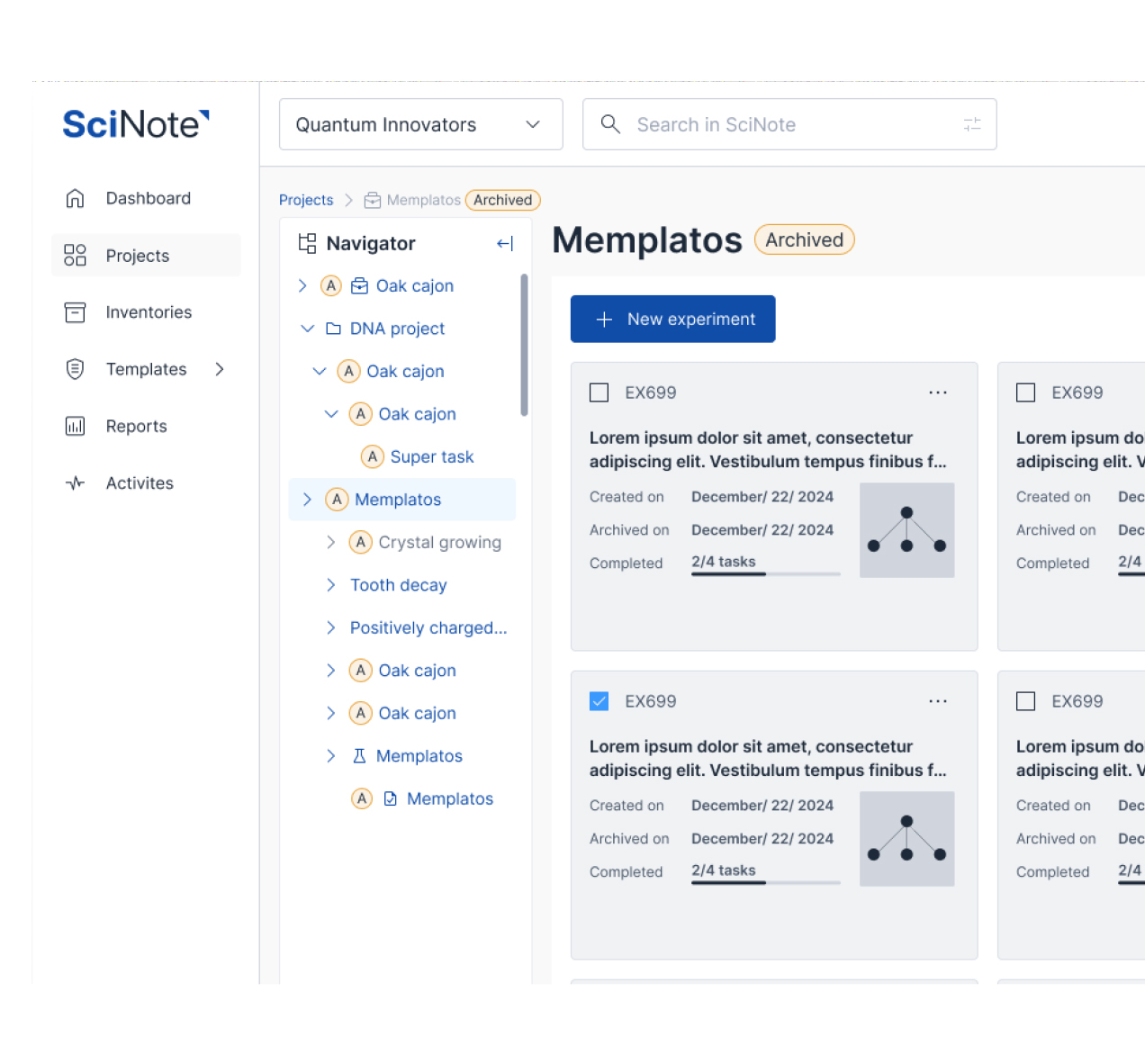
Due to user and laboratory requirements, the platform does not delete all created projects, experiments, or tasks but can only archive them. Therefore, users can switch between the platform’s Active and Archived states.
The task was to make the archived state more visible but not disruptive. The previous version had only a label (A), which we found through user interviews that users needed to notice or understand its meaning. Therefore, I decided to improve the clarity of the message with an “archived” tag in orange, which indicates archived folders.
User interface – Navigator
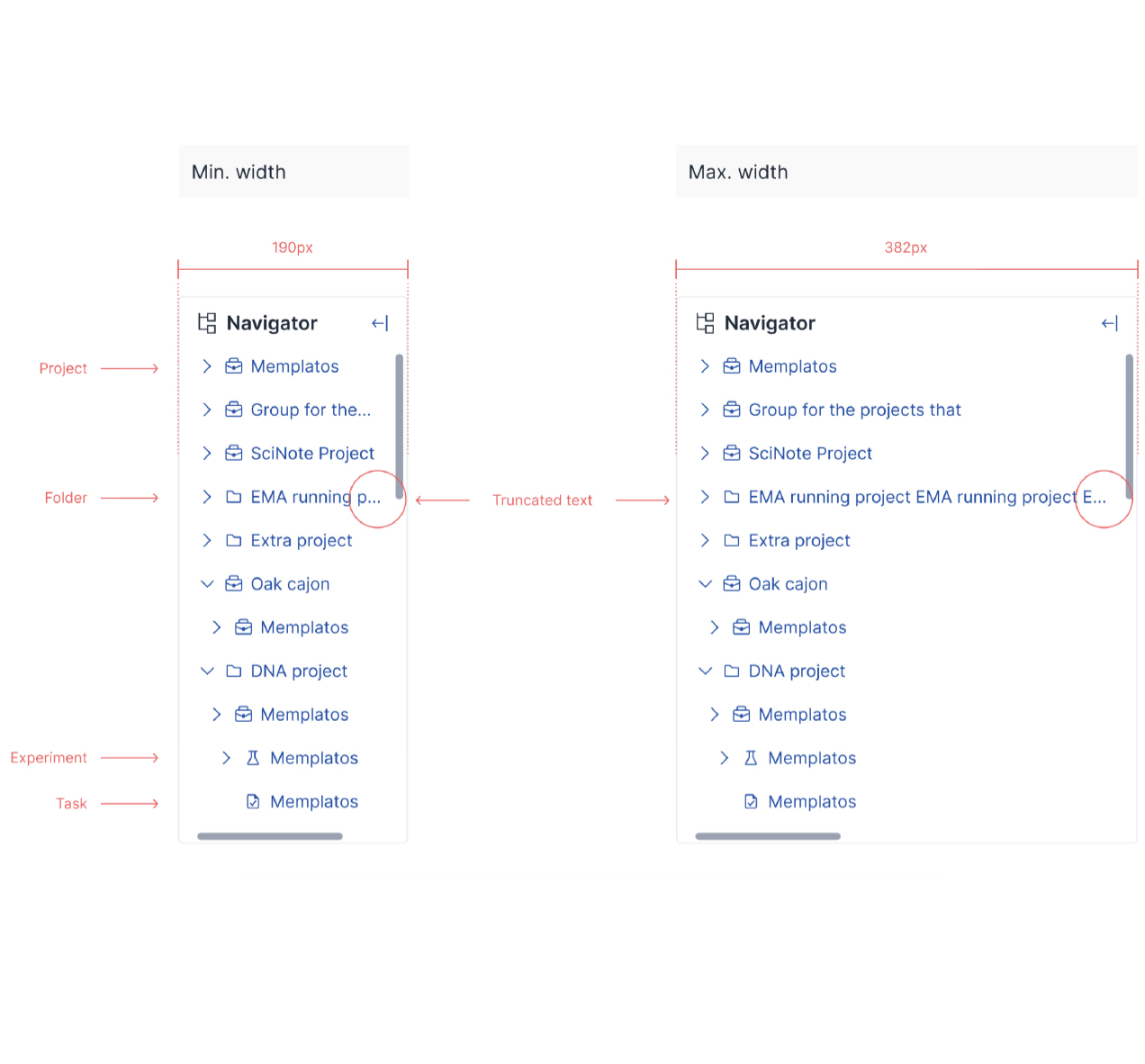
The redesign of the navigator was completed prematurely. Still, we realized that a few more adjustments were needed, such as reducing the spacing between individual levels, adding icons for easier differentiation of levels, and consistently shortening titles throughout.
Design system
In addition to ongoing updates on the platform, a design system was necessary. When I took on the role of responsible for it, it was in its early stages and quite basic.
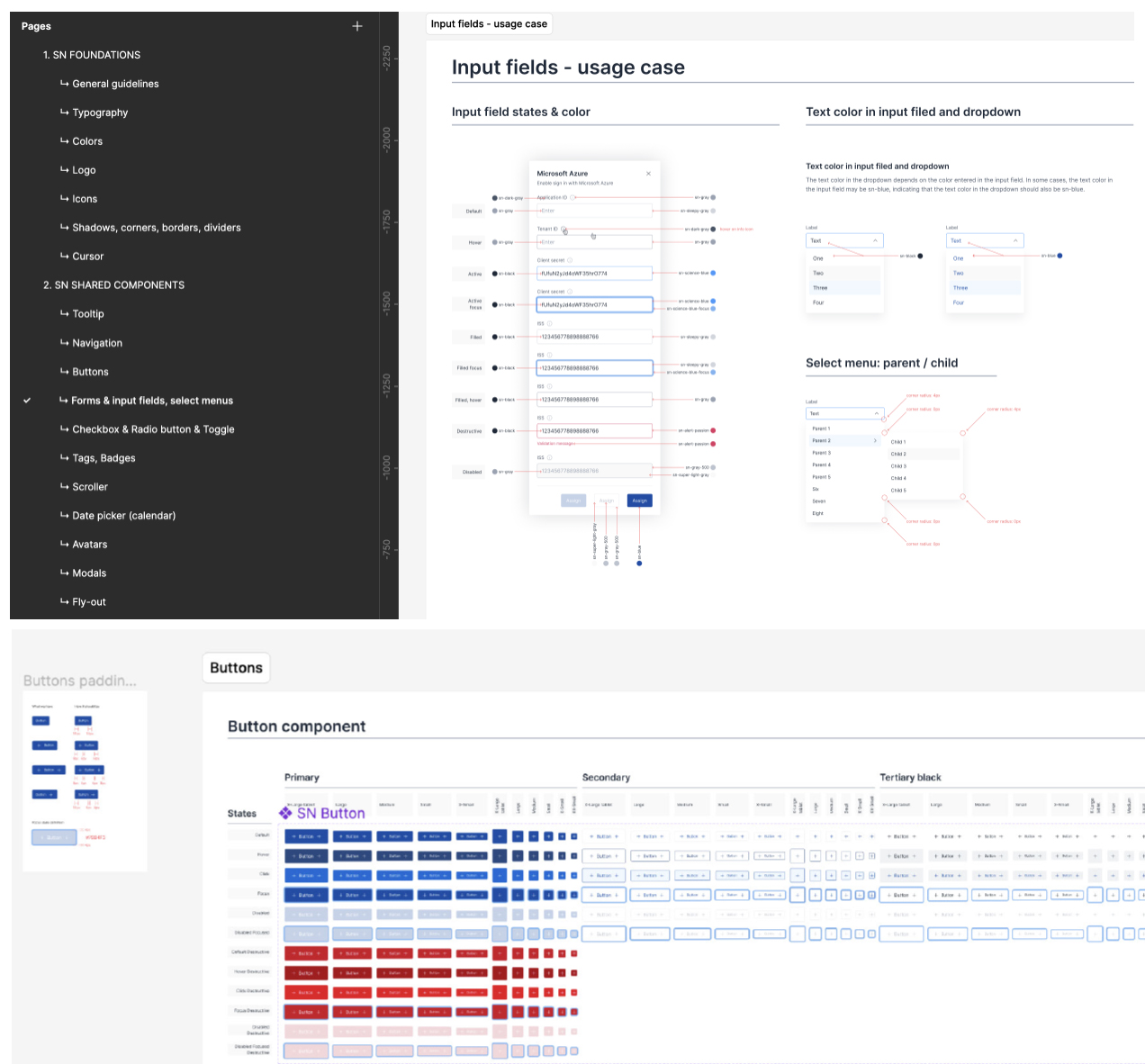
Within the design system, apart from designing individual components such as colors, icons, shadows, borders, tooltips, navigation, action bars, input fields, flyouts, checkboxes, tags…
Writing usage guidelines for specific elements, highlighting special features, and identifying components that require attention were also necessary.
Once the elements were determined, a ticket needed to be prepared for the development team to program and add them to the web design system.
What I learned
Working in a team with multiple designers on one project
Discussing specific issues and solutions openly and sometimes collaborating to find compromises was crucial.
Collaborating with multiple developers
Each developer had a way of working and communicating, so adapting to different styles and establishing clear communication channels was important.
Writing multiple tickets for one functionality and assigning them to various developers
This involved breaking down the functionality into smaller, manageable tasks (tickets) and distributing them among developers based on their expertise and workload.